Historic Rent Records
Overview
Moving an existing tenancy into PaTMa?
If your tenant has been paying rent before you started using PaTMa, the system may initially show historic rent as outstanding based on the tenancy start date.
Don't worry — this is expected.
You can correct the rent history by adding historic rent payments, ensuring your records accurately reflect what has already been paid.
This helps keep rent reporting, payment history and portfolio insights accurate from day one.
Adding Historic Rent Payments Manually
You can add historic rent payments the same way you would add a normal rent payment.
There are two ways to do this:
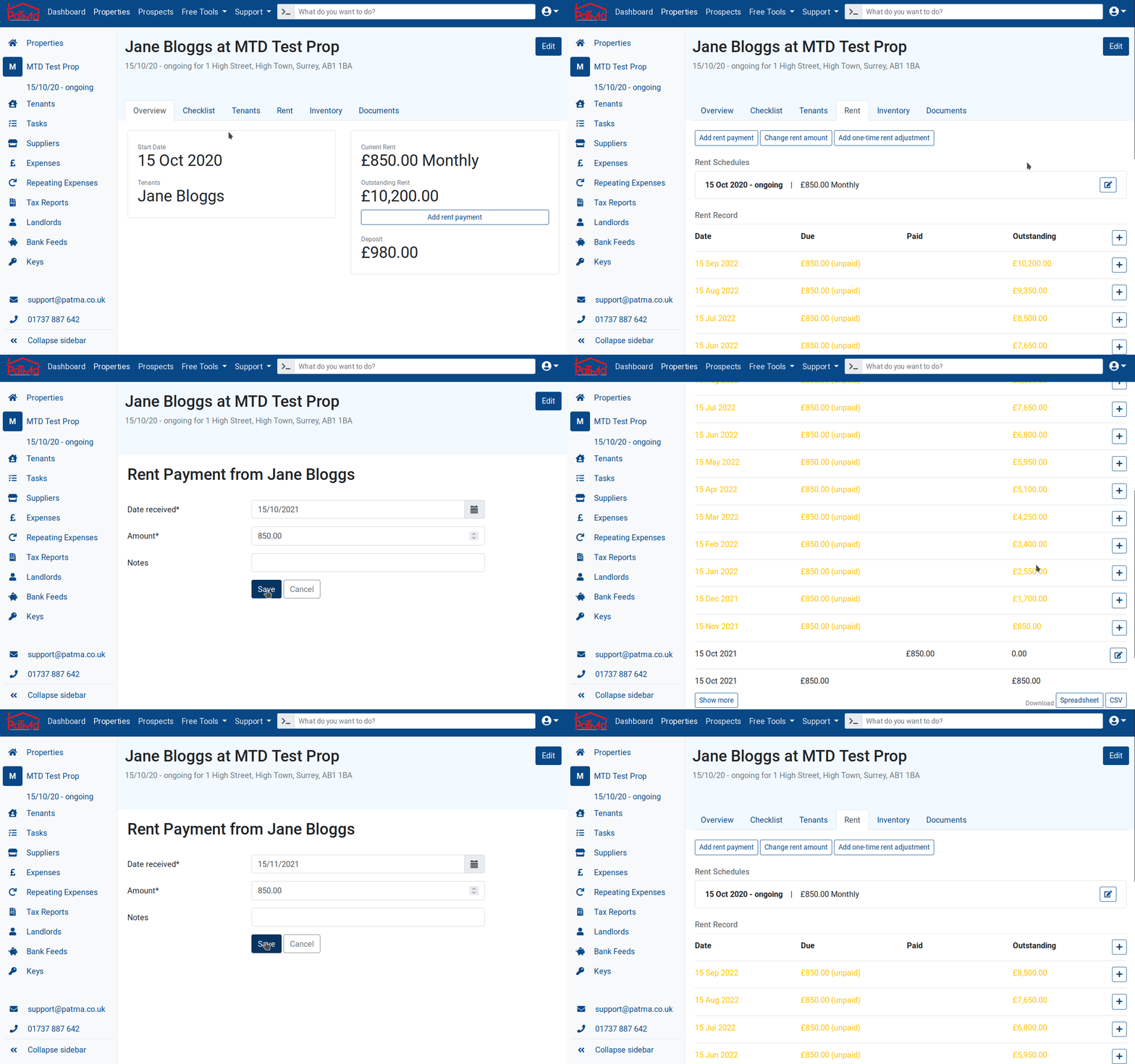
From Property Overview
Open the relevant property and select Add Rent Payment.
From Tenant Overview
Open Tenant Overview, locate the tenant's rent schedule and select the View (eyeball) icon.
Then select Rent and locate the outstanding payment you want to record.
Click the + icon next to the payment.
In both cases, you'll be taken to the Add Rent Payment screen.
You'll need to enter:
- Date Received – The date the payment was actually made
- Amount – The amount paid
- Notes – Optional notes about the payment
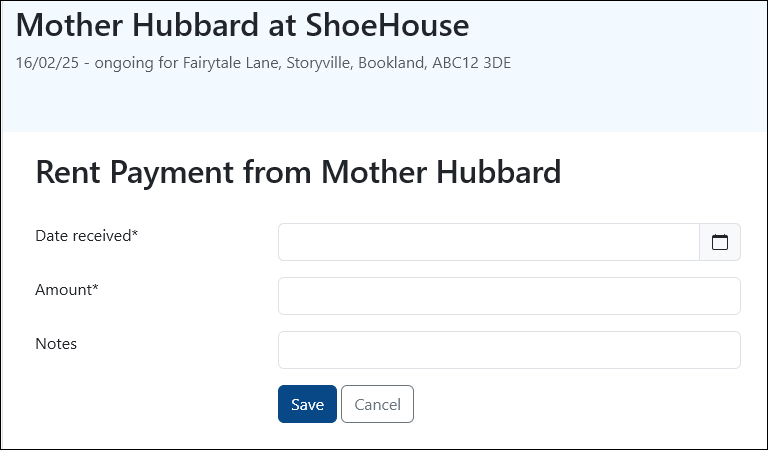
Once saved, the payment will be added to the rent history and the outstanding balance will update automatically.
Bulk Add Historic Payments
If your tenant has been paying on time for some time before moving to PaTMa, the fastest option is usually Bulk Add Historic Payments.
This feature automatically creates all missing rent payments between the tenancy start date and a selected date.
To use this feature:
- Set up the tenancy using the original tenancy start date
- Open the tenant's rent log
- Select the three-dot menu beside the outstanding rent entries
- Select Bulk Add Historic Payments

You'll then be asked to enter the date the tenant has paid up to.
PaTMa will automatically generate all expected rent payments between the tenancy start date and that selected date.
When Should You Use Bulk Add?
Bulk Add works best when:
- The tenant has paid consistently and on time
- No rent payments have yet been recorded in PaTMa
- Any historic rent changes have already been recorded in the tenancy
For example, if rent was:
- £1,000/month for the first 5 months
- £1,500/month after a rent review
PaTMa can still bulk-add the historic payments correctly, provided the rent change has already been entered before running Bulk Add.
⚠️ Bulk Add is only available if no rent payments have previously been logged for that tenancy.
If the tenant has missed payments, made partial payments, or paid irregular amounts, manual entry is usually the better option.
A Quick Tip
When migrating existing tenancies into PaTMa, adding historic rent records early will make all future rent reporting far more accurate.
It also ensures your rent arrears, cash flow and financial insights start from a clean and realistic baseline.