Arrange a Viewing
Overview
When someone enquires about one of your properties, PaTMa allows you to record their details, arrange a viewing and keep track of all communication in one place.
Viewings are linked directly to both the property and the prospective tenant, making it easy to manage appointments and stay organised throughout the letting process.
Better still, all viewings are automatically added to your calendar, so there's no need to create separate diary entries.
Adding a Prospective Tenant
Before arranging a viewing, you'll need to create a record for the prospective tenant.
Head to the Tenant Overview and select Add Tenant.

This will open the New Tenant form.
Whilst you can add as much information as you'd like, only the tenant's first and last name are required.
Common information you may wish to record includes:
- First name
- Last name
- Email address
- Contact telephone numbers
- Current address
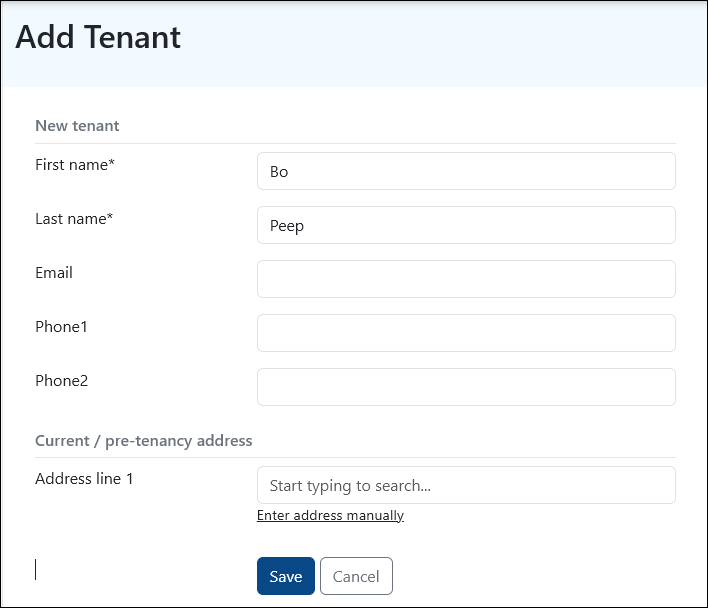
Once saved, the prospective tenant can be used for viewings, tenancy applications and future communications.
Booking a Viewing
If you've just created the tenant, you'll be taken straight to their Contact page.
Otherwise, find the tenant from the Tenant Overview, open their record and select the Contact tab.
From here, choose Viewing to create a new appointment.
You'll be asked to provide:
- The date and time of the viewing
- The property being viewed
- The unit or room (if applicable)
- Any notes you would like the tenant to see
- Any private notes for your own reference
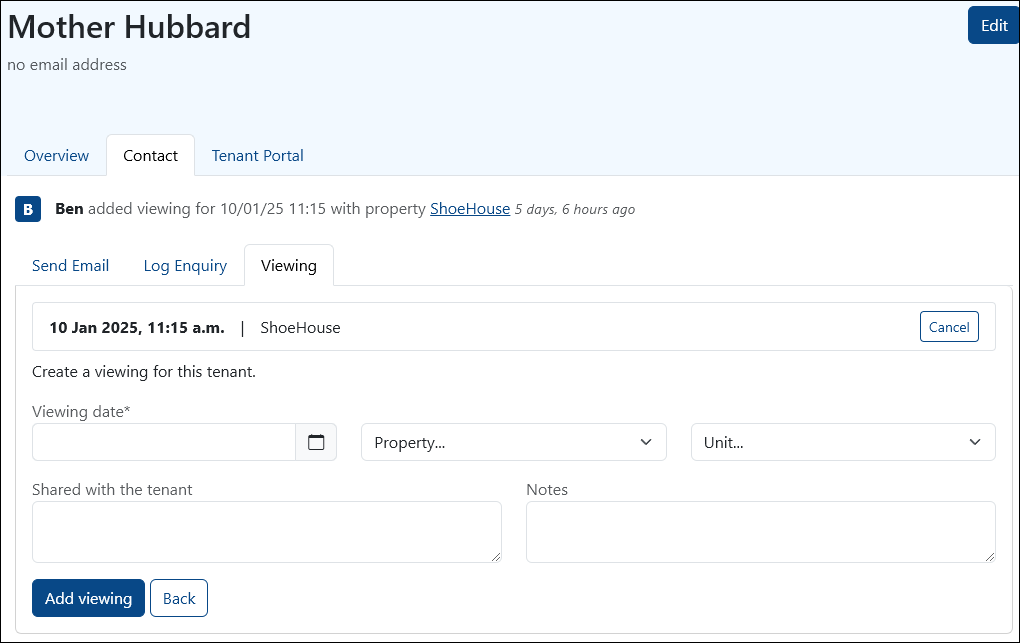
Once complete, select Add Viewing.
The viewing is now linked to both the property and the prospective tenant, creating a clear record of the appointment.
Keeping Track of Viewings
All scheduled viewings are automatically added to the PaTMa Calendar.
This means you can see viewings alongside rent due dates, tasks, reminders and other important events across your portfolio.
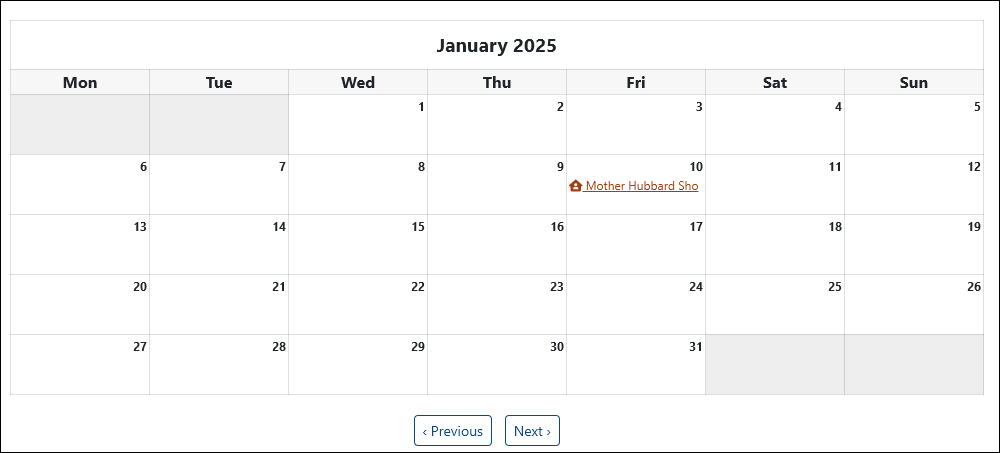
Hover over a viewing to see a summary of the appointment, or click on it to view further details and make changes if required.
As your portfolio grows, this can be a great way to keep track of upcoming appointments without needing to manage a separate diary.