Rent Review
Overview
Need to increase rent, but want to make sure you're doing it correctly and fairly?
PaTMa's Rent Review feature helps landlords assess whether a rent increase is appropriate, compare the property against local market data, and issue compliant notices to tenants.
Following recent Renters' Rights changes, formal rent increases are generally served using Form 4A as part of a Section 13 notice.
PaTMa helps with the entire process by allowing you to:
- Review comparable local rents
- Record evidence supporting the proposed increase
- Communicate informally with tenants
- Generate the official Section 13 notice
- Send documents for e-signature
- Maintain a full audit trail
PaTMa supports both:
- One-off rent reviews – Useful when manually reviewing rent for a tenancy
- Scheduled rent reviews – Useful when tenancy agreements include regular review periods
This allows you to manage rent increases proactively rather than relying on memory or external reminders.
Before You Begin
Rent reviews usually result in a rent increase and, while tenants may not love the news, periodic rent reviews are often an important part of managing a sustainable rental business.
However, PaTMa can only help with the administrative process.
PaTMa cannot determine whether a rent increase is legally permitted in your specific circumstances.
Before increasing rent, you should ensure you understand the relevant legal requirements, including:
- Whether the tenancy allows a rent increase
- How often rent can be increased
- Which notice process applies
- How much notice must be given
Rules vary depending on tenancy type and current legislation.
You should also ensure the tenant receives the legally required notice period before any new rent takes effect.
Accessing Rent Review
To begin a rent review, open the relevant tenancy.
Navigate to:
- Your Portfolio
- Select the property
- Open Tenancies
- Select the tenancy
- Open Actions
- Select Rent Review
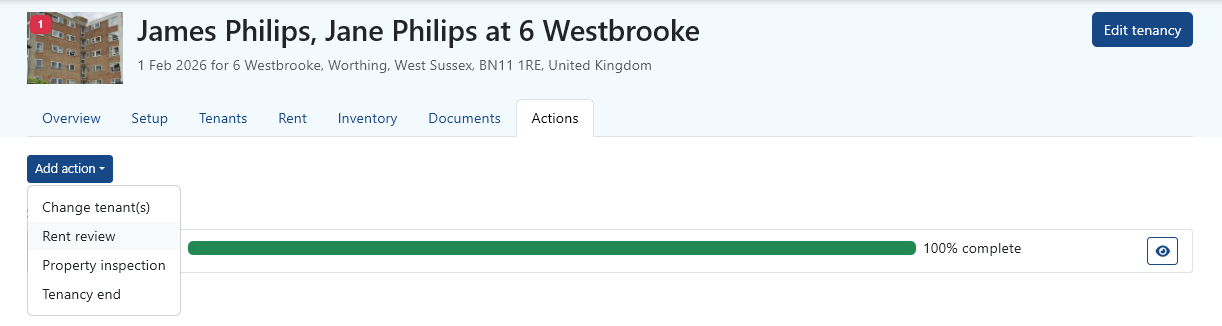
This opens the Rent Review workflow.
Reviewing Market Rent
The first step is to assess whether a rent increase is appropriate.
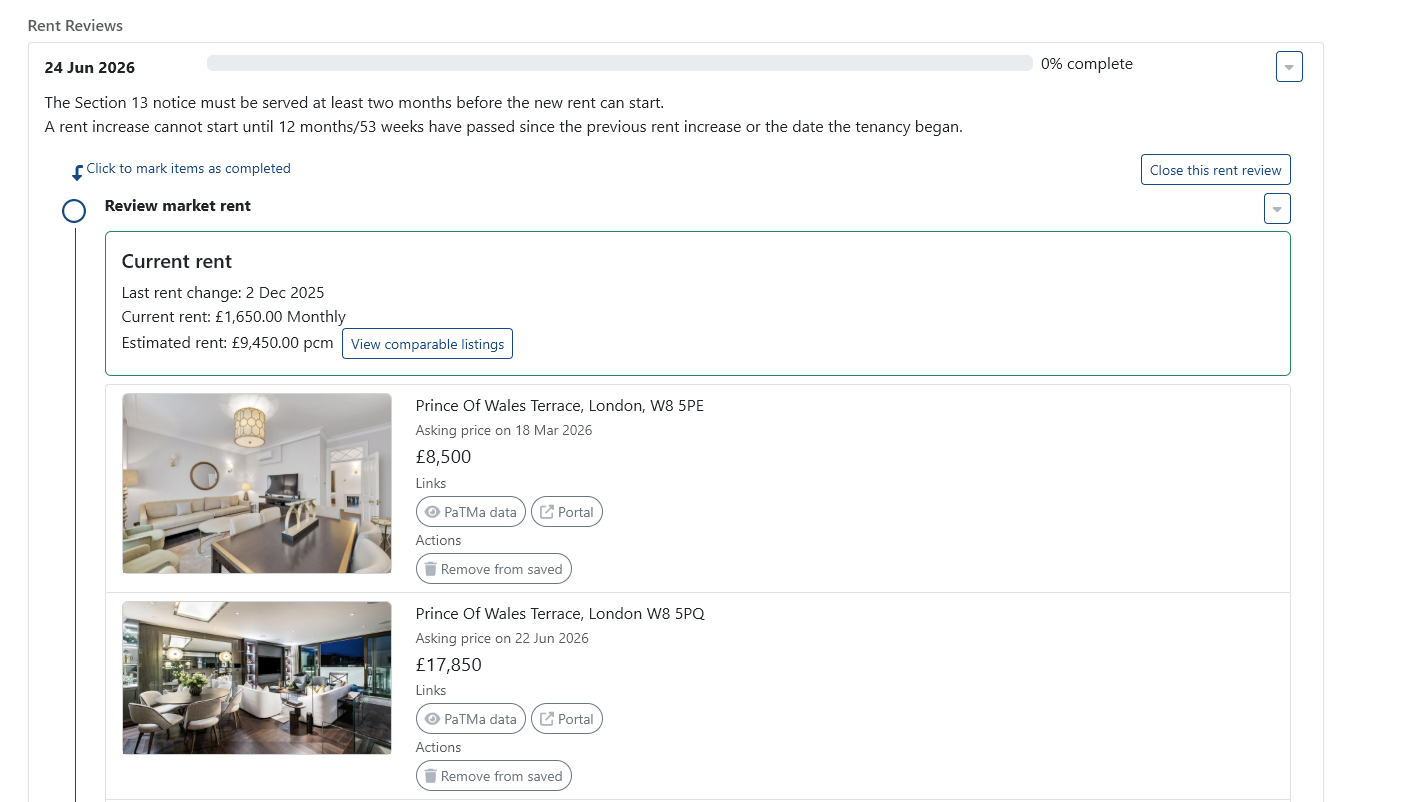
PaTMa allows you to compare your current rent against locally sourced comparable properties.
You'll be asked to add or confirm relevant property details so the system can identify suitable comparisons.
Comparable data helps you understand:
- Whether the current rent is below market rate
- What similar nearby properties are charging
- Whether your proposed increase is likely to be reasonable
Recording Supporting Notes
During the rent review process, you'll see a Notes field.
Although this field isn't explicitly explained in the interface, it serves an important purpose.
Use this area to record:
- Your own market research
- Notes about comparable properties
- Reasons for the rent increase
- Evidence supporting your proposed figure
For example, you might note:
- Nearby 2-bed flats now rent for £1,450–£1,550
- New kitchen fitted since tenancy began
- Comparable property on the same street recently let for £1,500
These notes provide useful evidence if the rent increase is ever questioned.
Deciding on the New Rent
After reviewing the market data, choose the new rent amount you want to propose.
PaTMa helps you compare the current rent against market evidence so you can make a well-informed decision.
The goal is not simply to maximise rent, but to choose an amount that is:
- Fair
- Justifiable
- Supported by market evidence
- Reasonable for the tenant and property
Informal Discussion (Optional)
Before issuing a formal notice, many landlords choose to discuss the increase informally with the tenant.
This step is optional but often helpful.
An informal conversation gives tenants time to understand the proposed change and ask questions before formal notice is served.
You can communicate informally in one of two ways:
- Use PaTMa's built-in message template
- Contact the tenant externally (email, phone or in person)
If using PaTMa, you can preview the message, select the tenant and create a task.
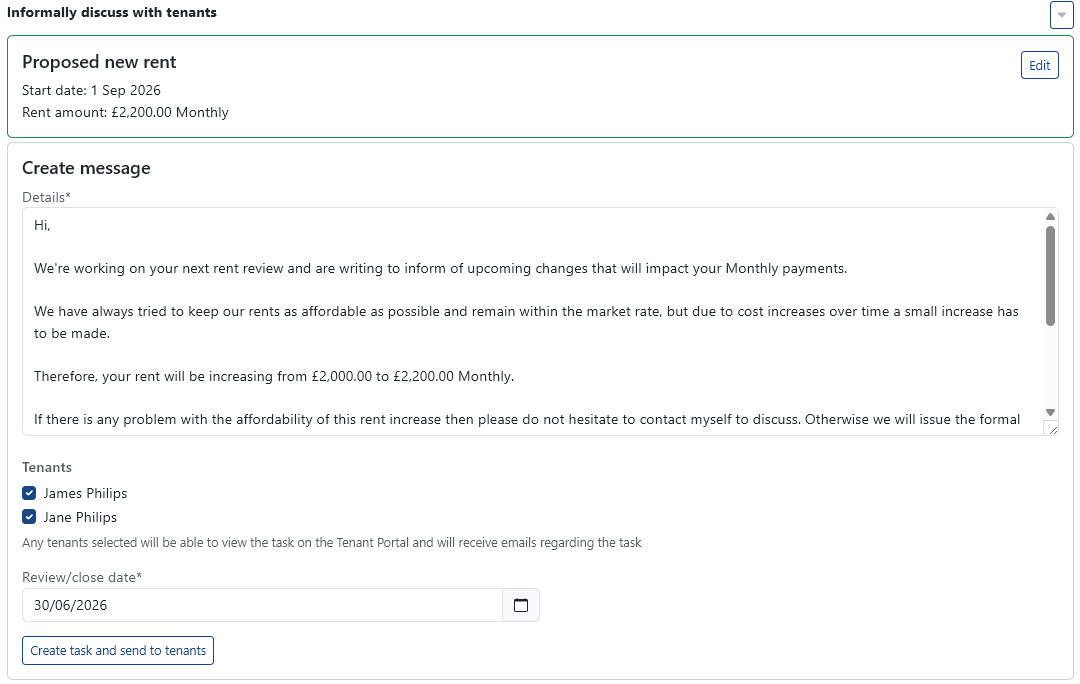
The task allows the tenant to:
- Confirm they understand the proposal
- Ask questions
- Respond to the suggested increase
This creates a clear communication record within PaTMa.
ℹ️ The informal discussion is optional. You do not need tenant agreement before serving a formal Section 13 notice.
Issuing the Official Notice
Once you're ready to proceed, return to the Rent Review workflow.
PaTMa will generate the official Section 13 / Form 4A notice.
Before sending, you'll be able to preview the declaration and confirm all details are correct.
This includes:
- Current rent
- Proposed new rent
- Effective date
- Legal notice wording
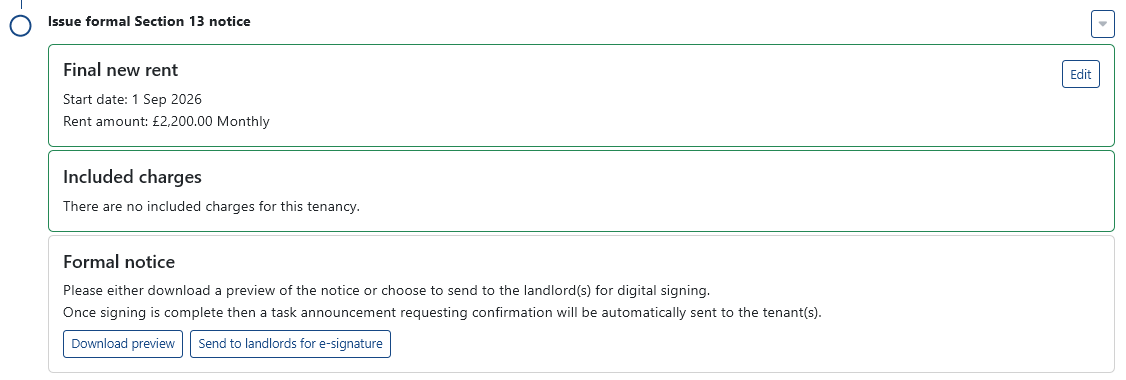
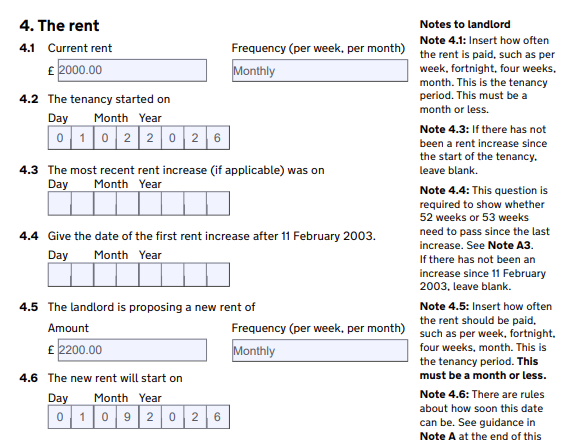
Once confirmed, the notice is sent for signature.
Signing and Sending
The generated notice is first sent to the landlord for e-signature.
After the landlord signs, the document is automatically passed to the tenant for acknowledgement.
This creates a full digital audit trail showing:
- Notice generation
- Landlord approval
- Tenant receipt
- Signature timestamps
Important Deadlines
All deadlines are based on the formal Section 13 notice, not the informal discussion.
Tenants must be given at least two months' notice before the rent increase takes effect.
Because of this:
- PaTMa will not allow an earlier effective date
- The two-month period starts from formal notice service
- Informal discussions do not count toward the notice period
This helps ensure the notice remains compliant with current legislation.
Scheduled Rent Reviews
PaTMa can also remind you about recurring rent reviews.
This is useful if your tenancy agreement includes periodic rent reviews, such as annual or biannual reviews.
A rent review schedule can be configured when creating or editing a tenancy.
You'll be asked for two settings:
- Rental Periods Between Rent Reviews – How often the rent should be reviewed
- Rent Review Base – Whether the review schedule is based on the tenancy start date or the most recent review
For example, if you choose 12 rental periods on a monthly tenancy, PaTMa will remind you every 12 months.
When a scheduled review is approaching, PaTMa will notify you so you can decide whether a rent review is appropriate.
A Quick Tip
Even if you plan to serve a formal Section 13 notice, starting with a friendly conversation often leads to better outcomes.
Many tenants respond more positively when rent increases are clearly explained and supported by real market evidence.