Create and Send Landlord Statements
Overview
If you manage properties on behalf of landlords as a letting agent, you'll often need to provide regular financial statements showing money received and money paid out.
A landlord statement is a financial summary that typically includes:
- Rent collected from tenants
- Agent fees deducted
- Property expenses paid
- Other credits or adjustments
- The final balance due to the landlord
These statements help landlords understand exactly what has happened financially across their properties and provide a clear record for accounting and tax purposes.
PaTMa can generate professional landlord statements for any landlord in your portfolio, allowing you to preview, download or email them directly from the platform.
Before You Begin
Landlord statements are only available when Letting Agent Features are enabled.
Before creating statements, you must enable:
Enable letting agent features - landlord fees, invoicing and fund management
This setting can be found in the Agent section of Settings.

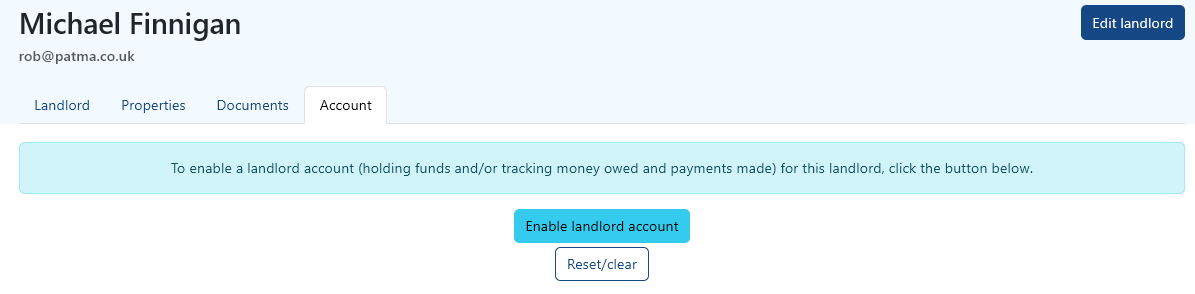
In addition, the landlord account must also be enabled for each individual landlord.
To do this:
- Open Landlords
- Select the landlord
- Open the Account tab
- Enable the landlord account
Without both of these steps, statements cannot be generated.
Accessing Landlord Statements
Once agent features are enabled, open the Landlords section from the left-hand menu.
Locate the landlord you want to work with by either:
- Clicking their name
- Selecting the View icon

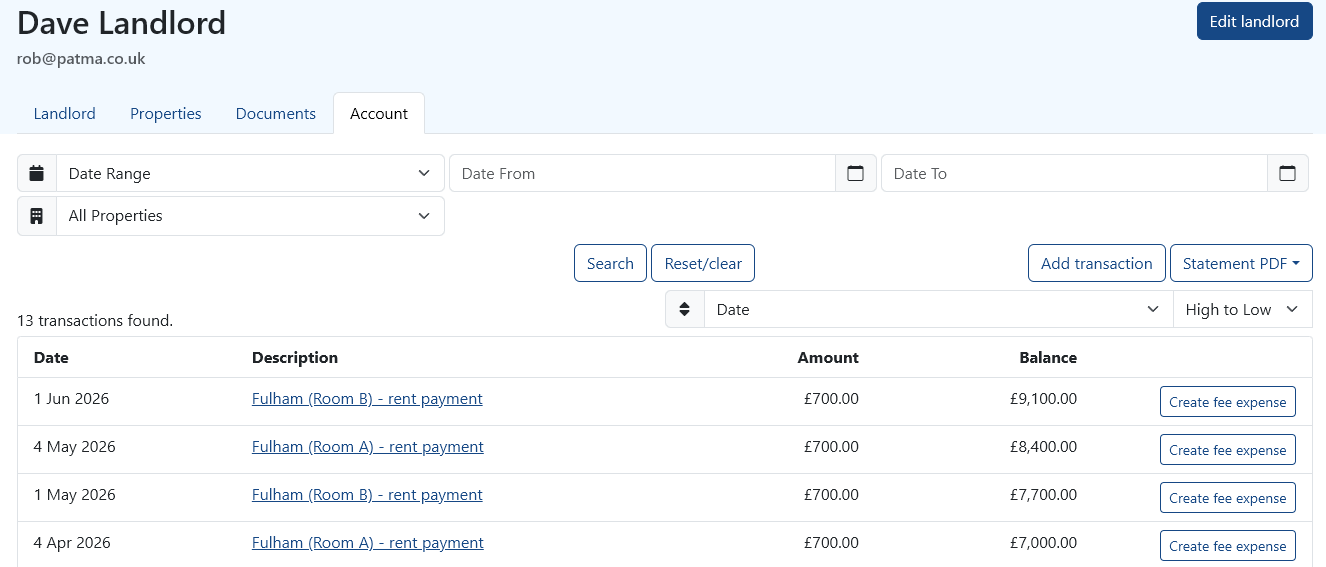
Next, open the Account tab.
This page contains the landlord's transaction history, including all relevant income and outgoings across their properties.
Typical transactions may include:
- Rent received
- Management fees
- Contractor expenses
- Maintenance costs
- Adjustments and credits
This transaction list forms the basis of the landlord statement.
Generating a Statement
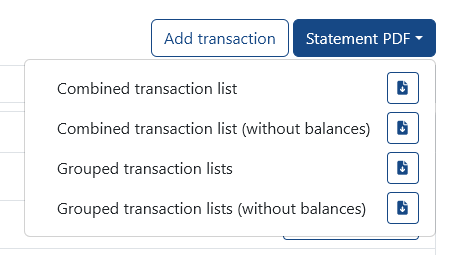
To generate a statement, select Statement PDF from the right-hand side of the screen above the transaction list.
PaTMa will then guide you through the statement generation process.
You'll be able to configure how the statement is presented before sending it.
Group or Combine Transactions
You can choose how transactions are displayed:
- Grouped – Rent, Fees and Expenses are individually grouped for a cleaner summary
- Combined – Transactions are shown in a single chronological list for full detail
Grouped statements are often easier for landlords to read, while combined statements provide more granular accounting detail.
Include Expense Documents
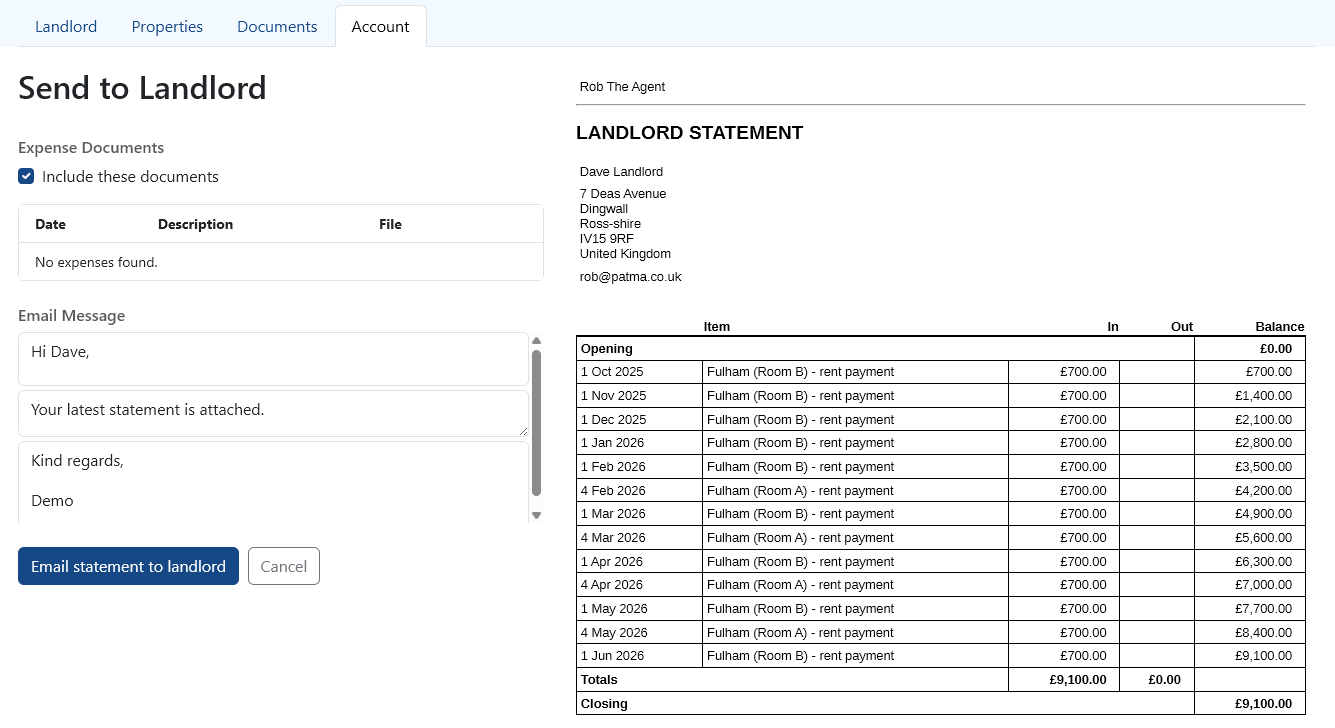
You can optionally include supporting expense documents using the available tickboxes.
This is useful when landlords need copies of:
- Contractor invoices
- Maintenance receipts
- Supplier bills
- Other supporting paperwork
Including documents can reduce follow-up questions and improve transparency.
Previewing the Statement
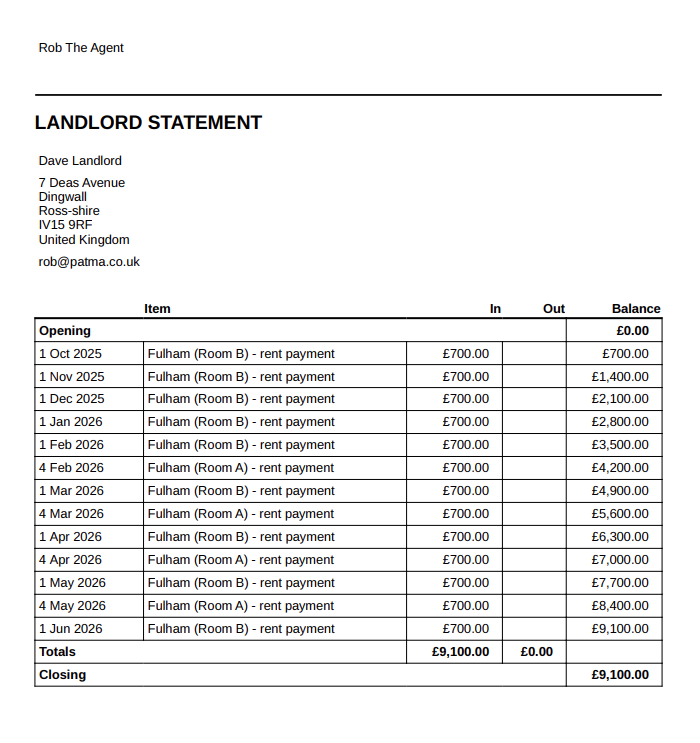
Before sending anything, PaTMa allows you to preview the statement.
This gives you a chance to check:
- Transaction accuracy
- Totals
- Included expenses
- Formatting
- Attached documents
Previewing by downloading the statement is recommended, especially for month-end or year-end statements.
Sending the Statement
Once you're happy with the statement, you can choose how to deliver it.
Available options include:
- Download PDF – Save a local copy
- Email Statement to Landlord – Send directly through PaTMa
If emailing the statement, you can edit the email message before sending.
This allows you to personalise the message or add extra notes for the landlord.
A Quick Tip
Most letting agents send landlord statements monthly, but PaTMa gives you flexibility to generate them whenever needed.
Regular statements help build trust with landlords by providing clear, transparent financial reporting with minimal manual admin.