Assigning Agent Deductions
Overview
Sometimes the money that reaches your bank account isn't the full story.
If you use a letting agent, they may collect the full rent from the tenant and deduct costs such as management fees, maintenance charges or contractor payments before sending the remaining balance to you.
This means the amount arriving in your bank account may be lower than the actual rent paid by the tenant.
PaTMa's Assign feature helps you reconcile these transactions accurately.
Assign allows you to allocate a single bank transaction across multiple entries in PaTMa, such as:
- Rent payments
- Agent fees
- Maintenance costs
- Other expenses
This ensures your rent records, expense tracking and reporting all remain accurate.
When Should I Use Assign?
Use Assign whenever a single bank transaction needs to be allocated across multiple entries.
Common examples include:
- One bank transaction covers multiple rent payments
- A letting agent sends net rent after deductions
- Rent arrives alongside maintenance or expense deductions
- One payment needs to be split across multiple categories
In short, if the bank transaction does not match a simple one-to-one payment in PaTMa, Assign is usually the right tool.
Accessing Assign
To use Assign, open Bank Reconciliation.
Locate the transaction you want to reconcile.
Next to the transaction, select Assign.
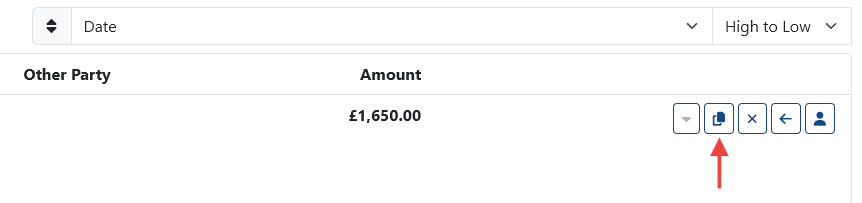
This opens the Assign workflow.
Assigning a Transaction
Once inside Assign, you can begin allocating the transaction.
You can either:
- Add a new rent payment
- Assign an existing rent payment
You can then add deductions where applicable.
In the deductions section, you can:
- Add a new expense
- Add a new agent fee
- Select an existing expense already recorded in PaTMa
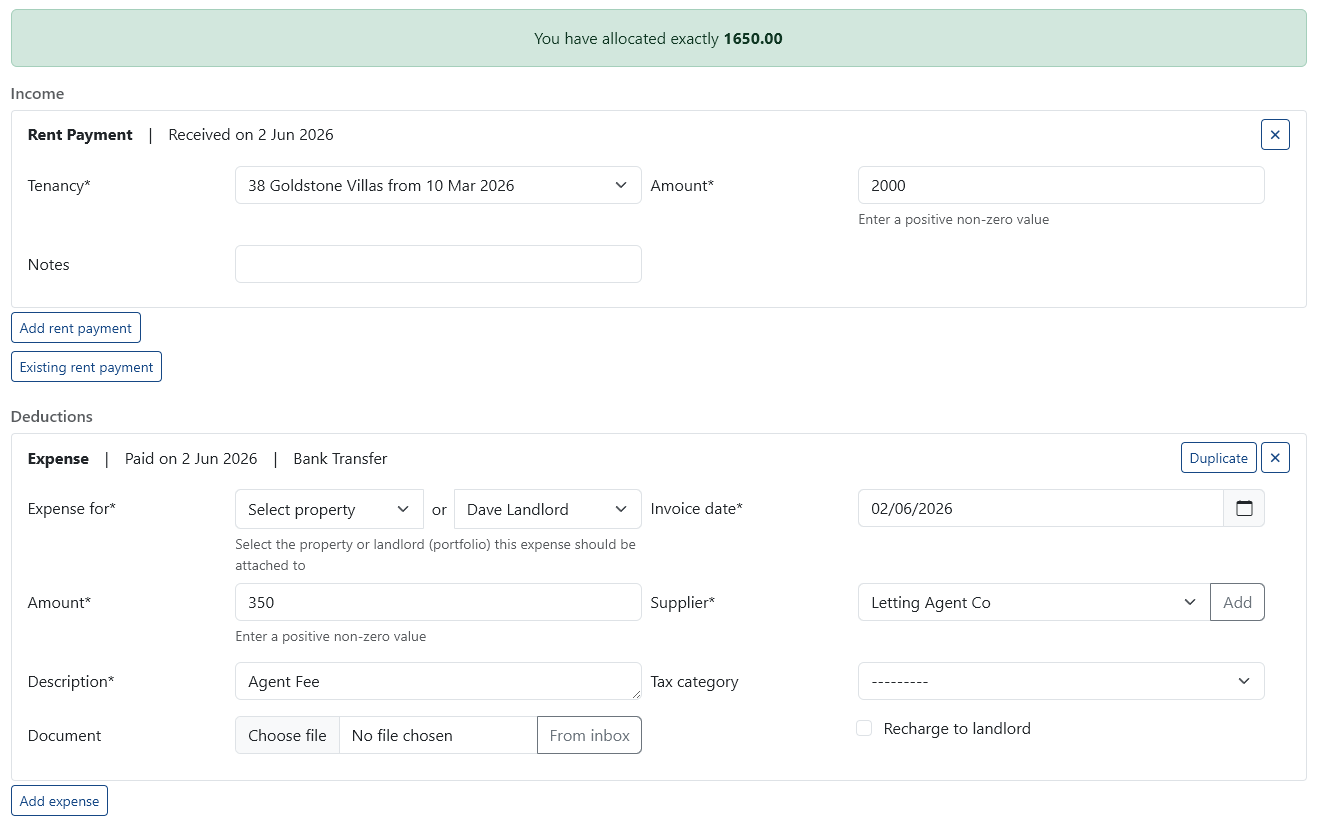
As you add entries, PaTMa calculates the running total automatically.
Tracking the Allocated Amount
At the top of the Assign screen, you'll see an Allocated banner.
This shows how much of the bank transaction has been allocated so far.
Use this to confirm that:
Total Rent Income – Total Deductions = Bank Transaction Amount
Once the allocated total matches the original bank transaction, reconciliation is complete.
When everything balances correctly, select Submit.
The transaction will then be reconciled.
Example: Rent Payment with Agent Deductions
Let's look at a common example.
A letting agent sends you £1,000, but this isn't the full rent amount.
The actual breakdown is:
- Rent due: £1,500
- Agent fee deducted: £300
- Maintenance deducted: £200
- Net payment received: £1,000
Although only £1,000 reaches your bank account, the tenant has still paid the full £1,500.
The remaining £500 has simply been retained by the agent.
To record this using Assign:
- Open the bank transaction for £1,000
- Select Assign
-
Add the following entries:
-
Rent: £1,500
- Agent Fee: -£300
- Maintenance: -£200
The final assigned total equals £1,000, matching the bank transaction.
PaTMa can now correctly:
- Mark the rent as fully paid
- Record the agent fee as an expense
- Record maintenance as an expense
- Keep financial reporting accurate
Example: One Payment Covering Multiple Rents
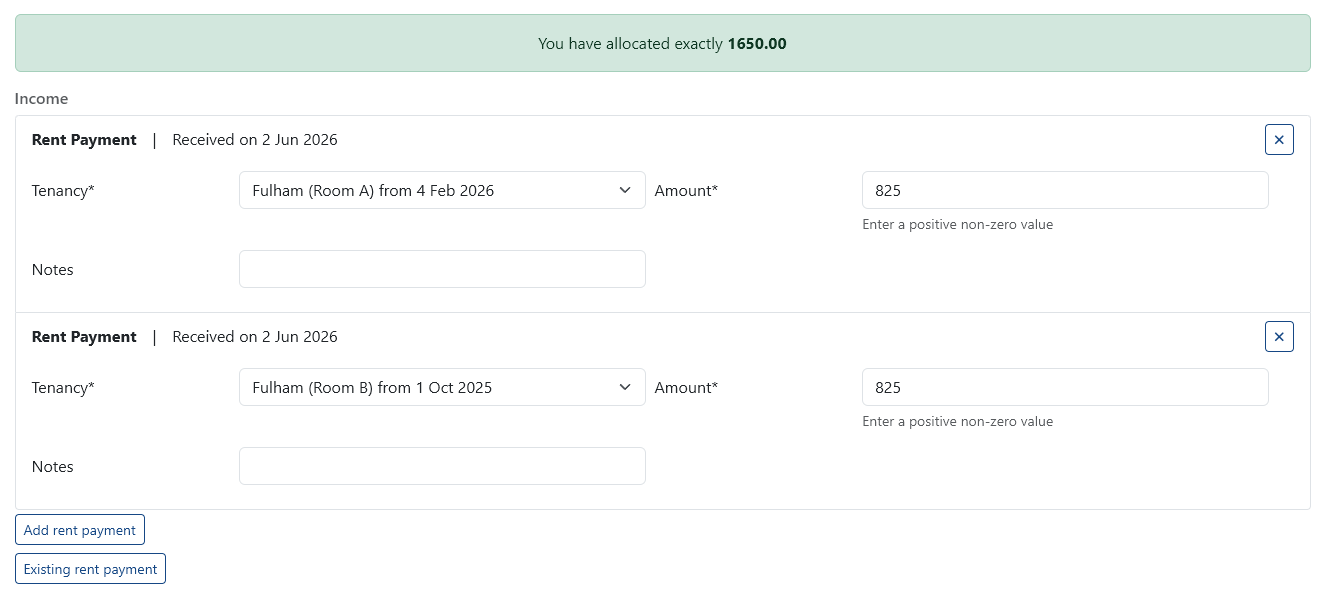
Assign can also be used when one payment covers multiple rent entries.
For example, imagine you receive £2,000 in a single bank transaction.
This payment actually covers:
- Rent Payment 1: £1,000
- Rent Payment 2: £1,000
Using Assign, you can allocate the single transaction across both rent entries.
This allows each rent payment to be recorded correctly while still matching the single bank transaction.
A Quick Tip
If a bank transaction looks confusing, start by asking:
"What actually happened behind this payment?"
Once you understand the real breakdown — rent, fees, expenses or deductions — Assign makes it easy to reflect that accurately inside PaTMa.