Announcements
Overview
Need to let your tenants know about upcoming maintenance work? Going away for a couple of weeks? Changed your contact details?
Announcements allow you to send a notification to one tenant, multiple tenants or your entire portfolio and keep track of who has confirmed receipt.
Unlike a task, announcements are designed purely for communication and acknowledgement. They're ideal for situations where you need tenants to receive important information but don't require a discussion or response.
Some common examples include:
- Planned maintenance works
- Contractor or inspection visits
- Changes to contact details
- Holiday or out-of-hours notices
- Building-wide updates
- Seasonal reminders and advice
Creating an Announcement
Announcements can be accessed from the Tasks section.
Select Announcements from the top-right corner of the Tasks dashboard.

To create a new announcement, choose Create Announcement.
You'll then be asked to:
- Select the property or properties you wish to send the announcement to
- Enter a title
- Enter the announcement message
- Include any attachments you wish to send out
- Select which tenants should receive it
- Optionally choose a reminder date
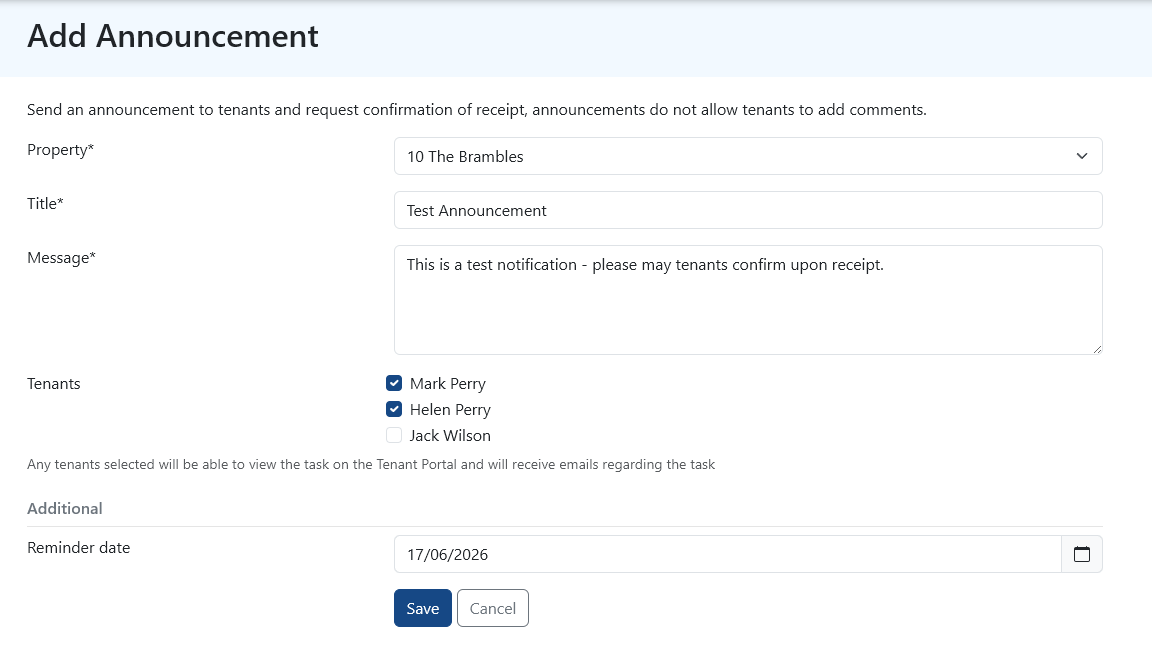
Once you're happy with the message, send the announcement and PaTMa will distribute it to the selected tenants.
The announcement will then appear in your Tasks dashboard where it can be monitored and tracked.
What Do Tenants Receive?
Tenants receive the announcement by email along with an option to confirm receipt.
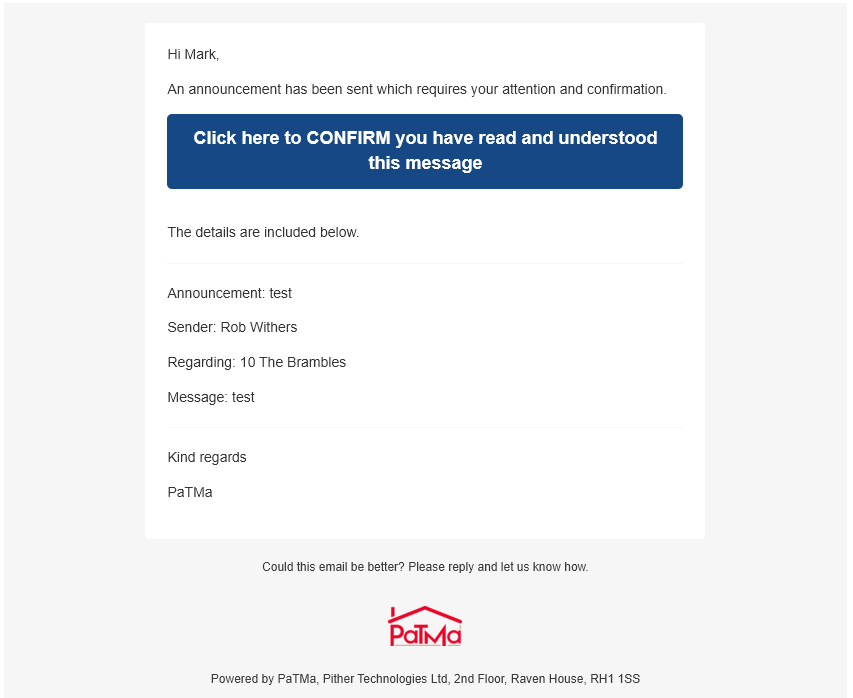
Announcements are intentionally simple. Tenants can acknowledge that they have received the information, but they cannot add comments or start a conversation from the announcement.
If you need to discuss something with a tenant or receive a response, a standard task is usually a better option.
Tracking Responses
Once an announcement has been sent, you can open it at any time from the Tasks dashboard.

Selecting the announcement will display an overview showing:
- Which tenants have confirmed receipt
- Which tenants are still outstanding
- When the announcement was created
- When emails were delivered
- When confirmations were received
- Any reminders that have been sent
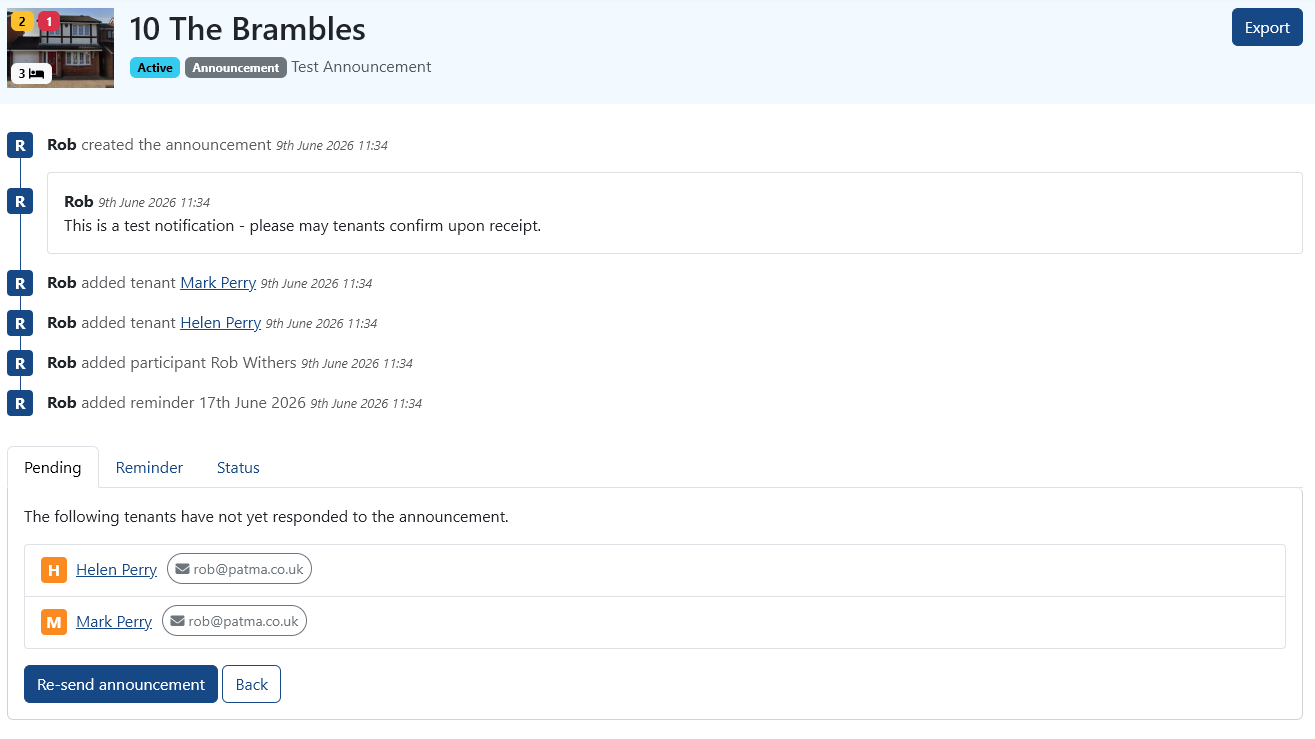
This creates a useful audit trail and makes it easy to see who may need following up.
When a tenant confirms receipt, the announcement updates automatically and you'll receive an in-app notification.
Automatic Reminders
When creating an announcement, you can choose a reminder date.
If a tenant has not confirmed receipt by that date, PaTMa will automatically send a reminder email on your behalf.
This is particularly useful for important notices where you need evidence that tenants have received the information.
When Should I Use Announcements?
Announcements work best when you simply need tenants to receive and acknowledge information.
For example:
✅ Planned maintenance notice
✅ Updated emergency contact details
✅ Landlord holiday notification
✅ Building-wide updates
Announcements are less suitable when you need a discussion or response from the tenant.
❌ Maintenance issue investigation
❌ Questions requiring a reply
❌ Ongoing conversations
In these situations, creating a standard task will usually be the better option.