
Import Properties Owned by a Limited Company
Overview
If you manage properties owned by a limited company, PaTMa can help you import publicly recorded property ownership information directly into your account.
When you add a limited company as a landlord, PaTMa can retrieve properties publicly recorded as being owned by that company. You can then choose which properties you want to add to your portfolio, grouping them by property type.
This saves you from having to enter each property individually and makes it easier to build your portfolio using publicly available ownership information.
Add a Limited Company as a Landlord
To get started, you'll first need to add the limited company as a landlord.
- Navigate to Landlords in PaTMa.
- Select Add Landlord.
- Enter the name of the limited company you want to add.
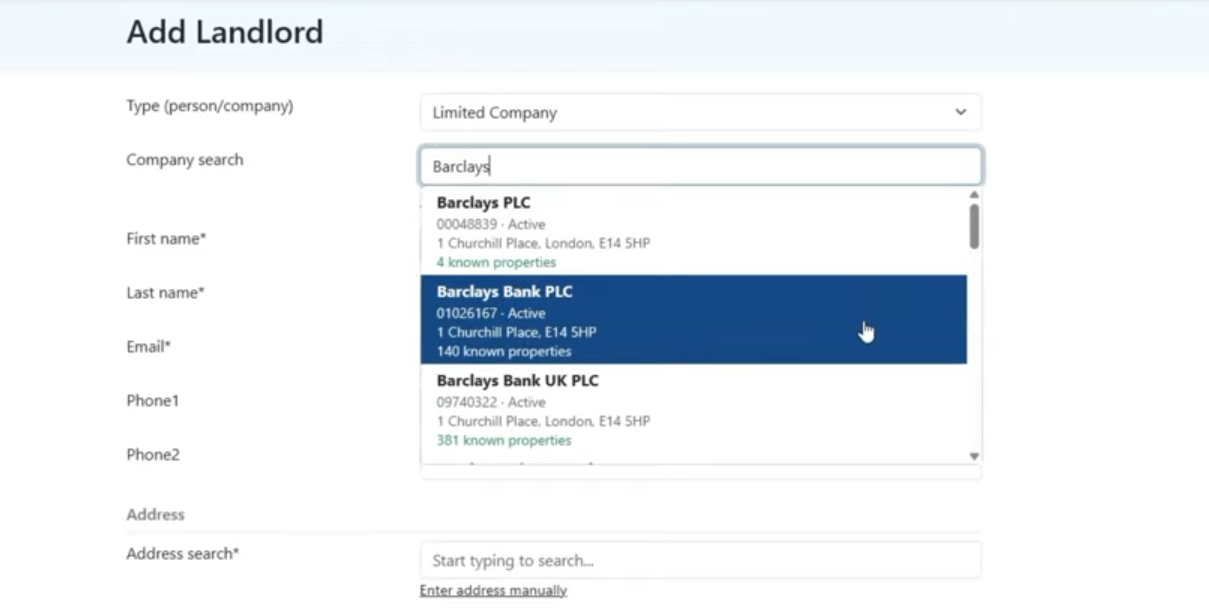
- Select Save.
Once saved, PaTMa will retrieve the properties publicly recorded as being owned by that company.
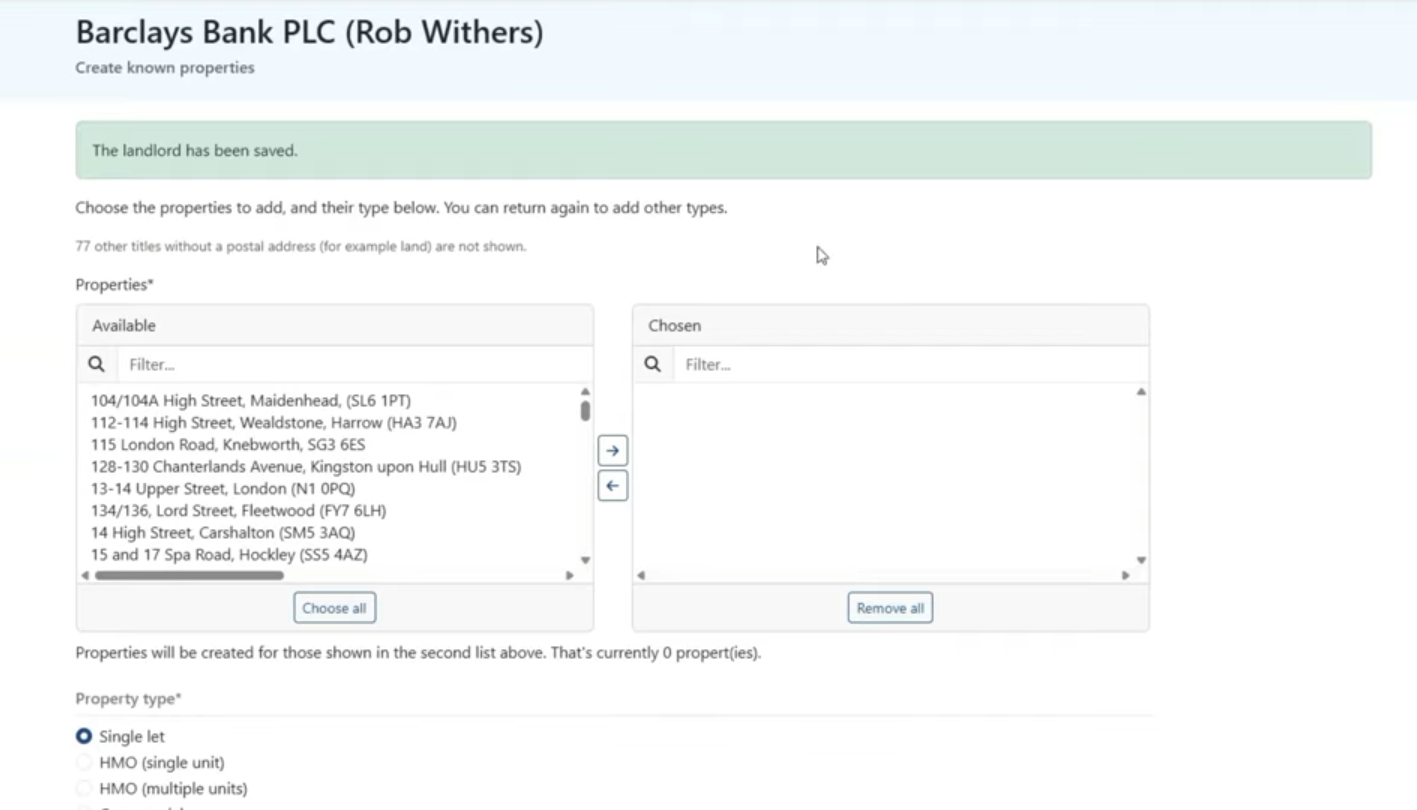
Import Properties
After saving the landlord, you'll be presented with a list of the properties associated with the company.
The properties are grouped by type, allowing you to choose which ones you want to import.
- Select the property type you want to import, such as Single Lets.
- Select the properties you want to add.
- Move your selected properties across to the right-hand side.
- Select Add Properties.
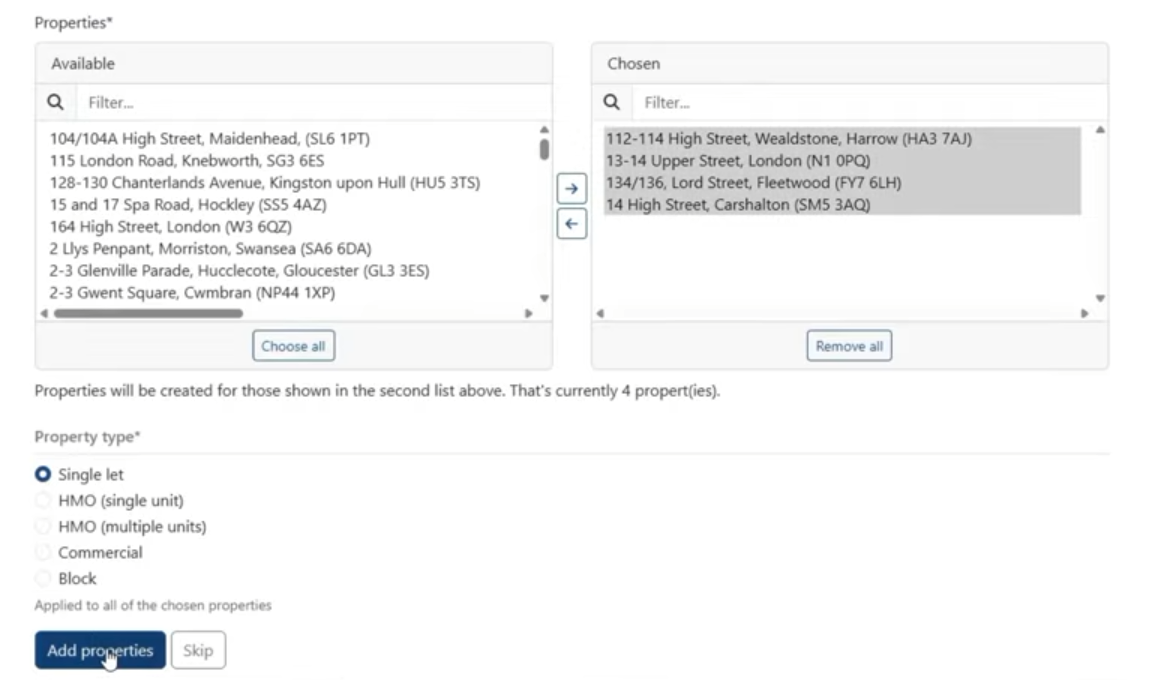
The selected properties will then be added to your PaTMa account.
Add More Properties Later
You don't have to import every property when you first create the landlord. You can return later to add other property types or additional properties.
- Navigate back to the relevant landlord.
- Select Create Known Properties.
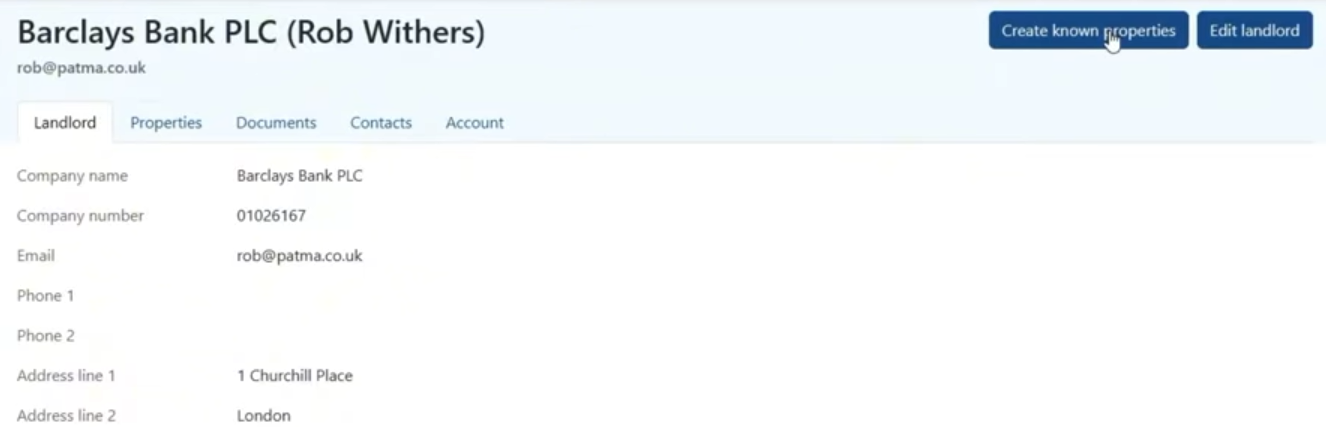
This will reopen the list of publicly recorded properties associated with the company.
- Choose the additional property types you want to import, such as HMOs or commercial properties.
- Select the properties you want to add and move them across to the right-hand side.
- Select Add.
The selected properties will then be added to your PaTMa account.
View Your Imported Properties
Once you've imported the properties, you can find them in your main Properties list.
Each imported property will appear as a new property record in PaTMa, ready for you to manage within your portfolio.