Renters Rights Act (RRA)
Overview
PaTMa includes an inbuilt tool for managing the admin of notifying your tenants about the new Renters Rights Act (RRA) information.
The UK Government’s new Renters’ Rights Act is a major reform of the private rental sector in England, aimed at giving tenants more security and stronger protections while setting clearer responsibilities for landlords.
The main changes came into effect on 1 May 2026, and as a Landlord, you have until the 31st May 2026 to evidence you have notified your tenants of this.
For further information about the changes coming into effect, check out our recent blog post.
Accessing The RRA Info Report
You can access the RRA info section in PaTMa via the Reports tab, it is however more quickly accessed via the homepage of your account, the second module down in the Your Properties section.
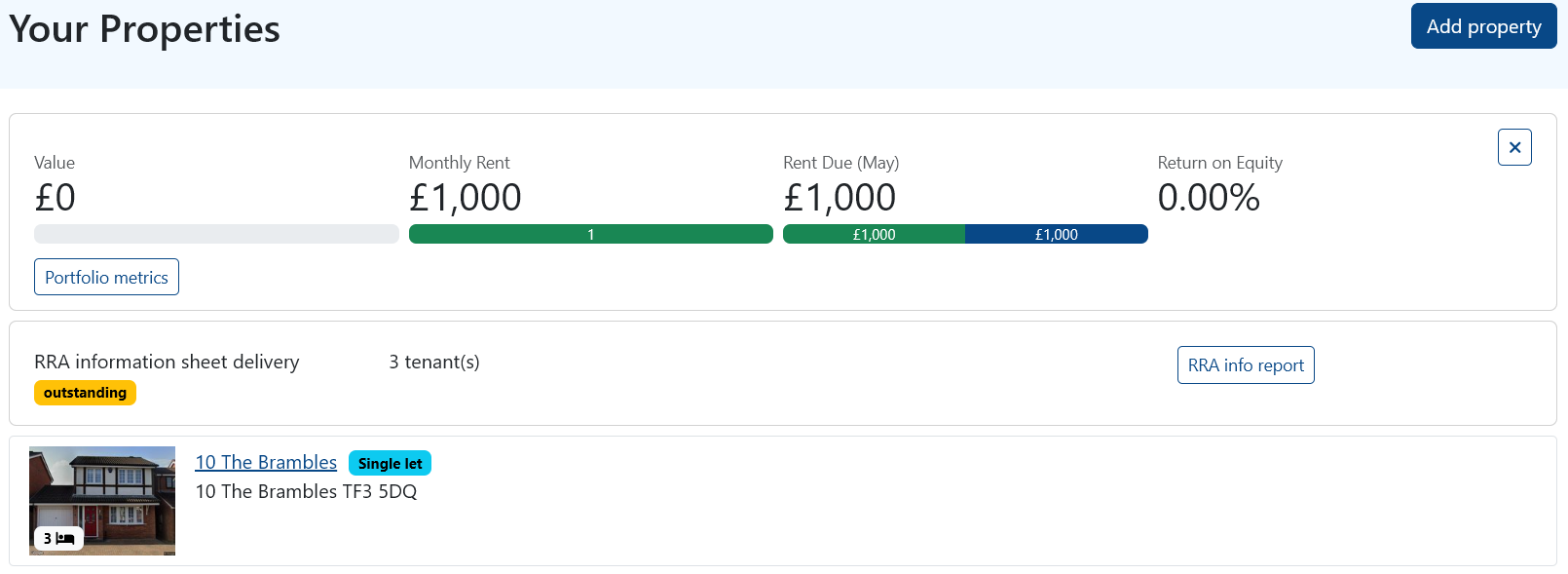
Selecting the RRA info report button will bring you to the RRA Info dashboard.
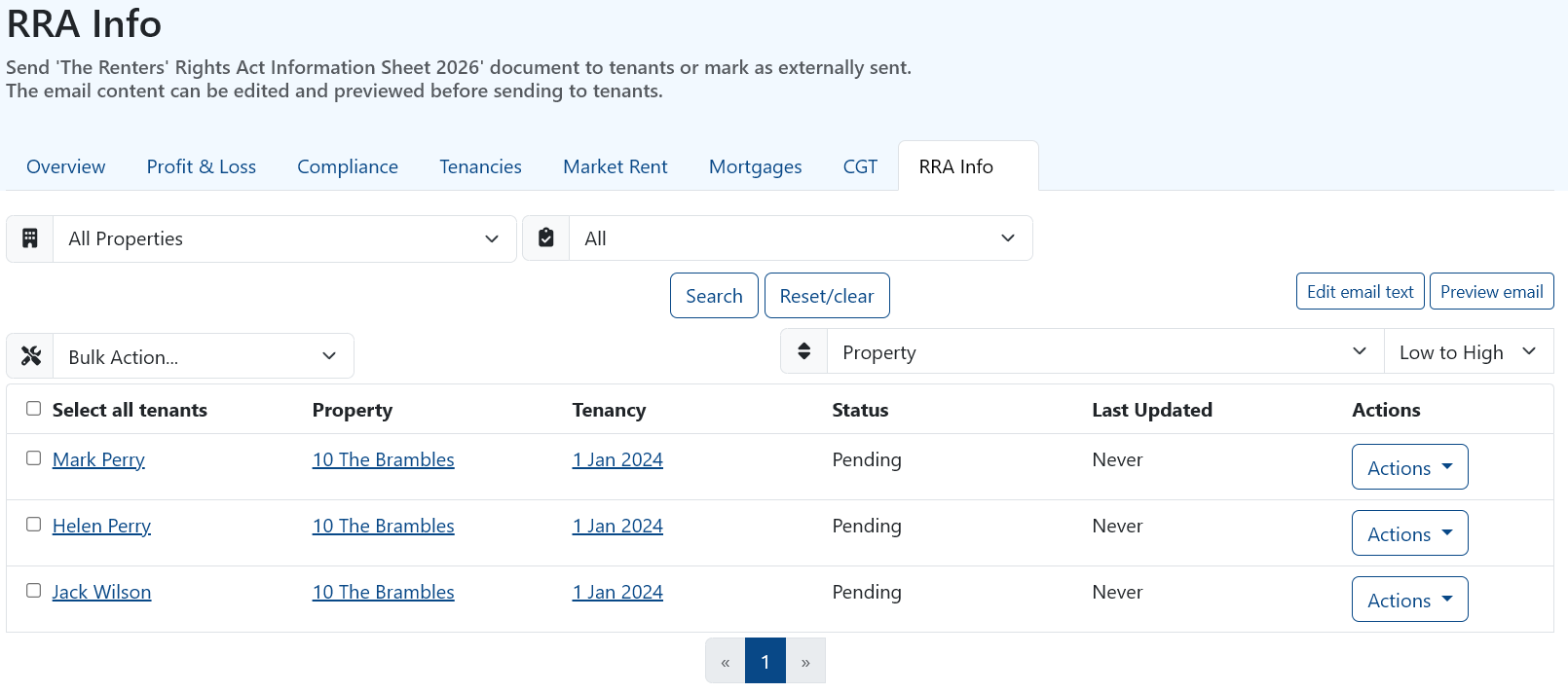
Here you can see a list of all your tenants, including their property, tenancy and status in regards to receiving the RRA Information Sheet.
Edit/Preview The Email
To notify your tenants PaTMa will send an email with the Renters Rights Act Information Sheet attached.
To edit or preview the email that will be sent out, you can do so by clicking the “edit email text” or “Preview email” options towards the top right of the module. This allows you the option to customise the notification if need be.
In the Preview view you can see the full layout of the email and even send it out to yourself using the option at the bottom of the window.
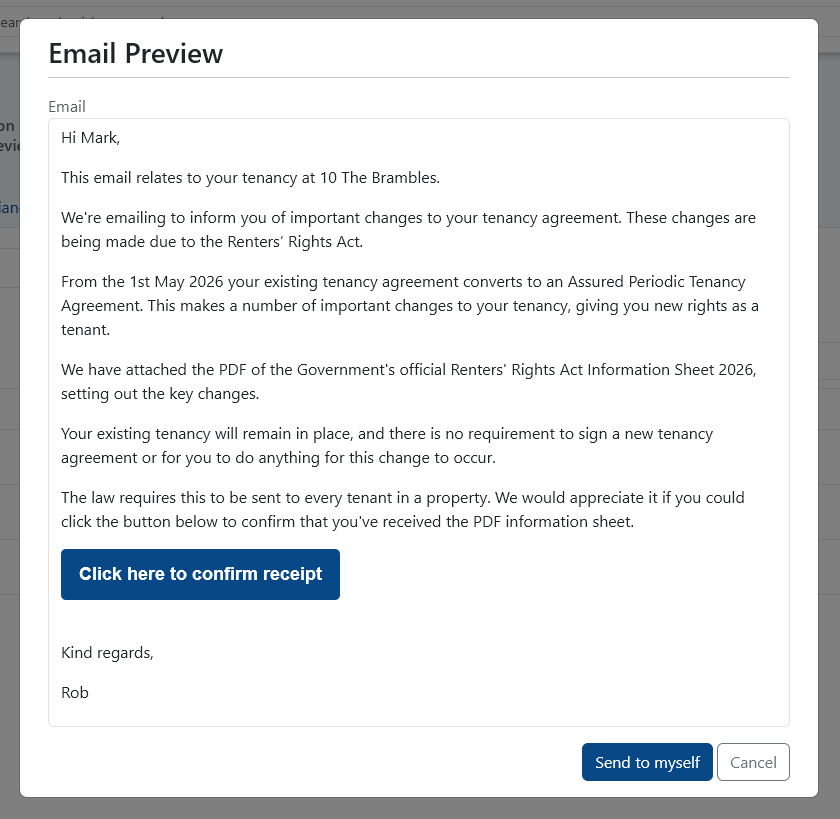
This will allow you to see the email exactly as your tenant will, you can also download a copy of the Information sheet using this method.
Actions
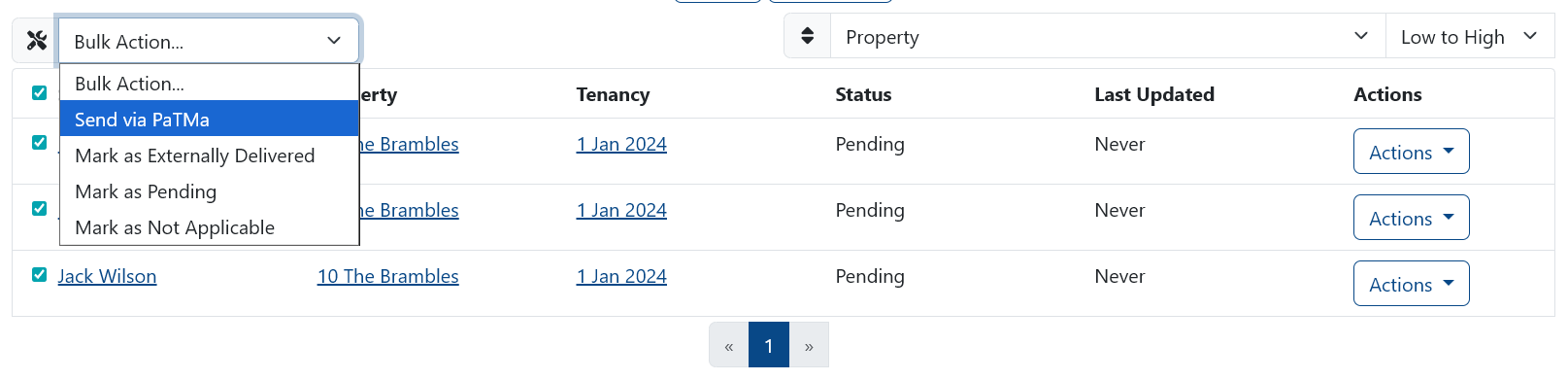
Using the “Actions” section to the far right of each tenant you can opt to send the email out directly via PaTMa.
Alternatively, if you have given the tenant the information sheet via alternative methods, such as by hand or post, you can choose to upload external evidence and mark the information sheet as “Externally Delivered” - doing so will cease all reminders from the system regarding that tenant's RRA status and mark them as complete.
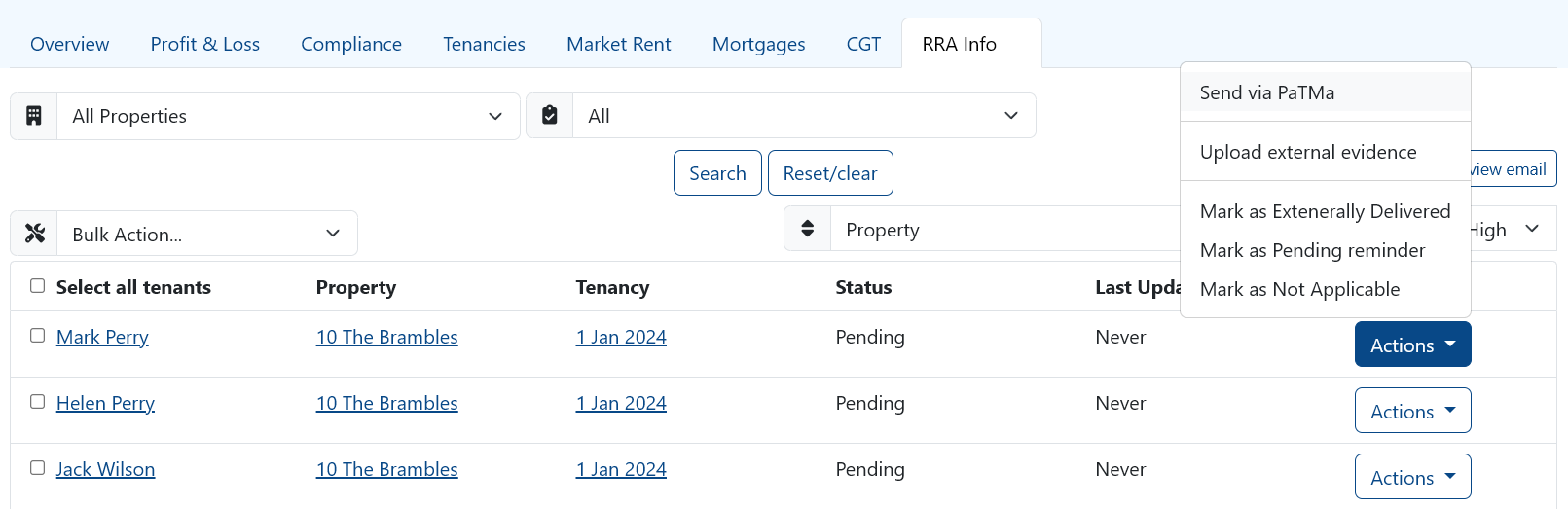
To the far left you can use the tickboxes to select some or all of your tenants, with this you are able to use the bulk action dropdown. The bulk action menu provides all of the same options as previous but allows you to do the action for all tenants at the same time - ideal for sending the information out to a big tenant roster all at once!
Status Updates
Once sent the status for the tenant will update to Sent - the Actions menu will also update with a new option to “Send reminder”. This can of course be used to chase a tenant if you have not received confirmation.
The tenant needs to press the “Click here to confirm receipt” button within the email in order to register the receipt.
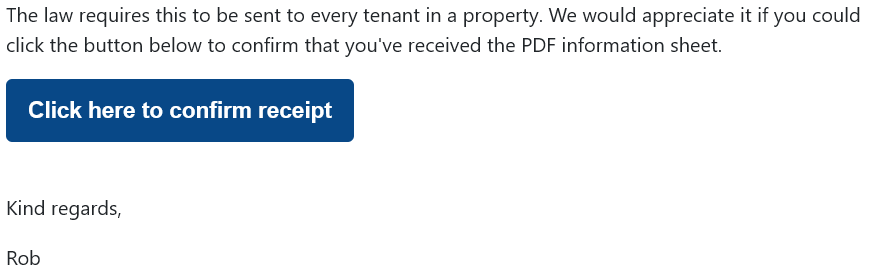
There are three potential outcomes that will take place, the email will be received and not yet acted upon, resulting in “Email Received” status.
The email will be opened and the receipt button pressed, resulting in “Receipt Confirmed”.
Lastly, if the email fails to deliver, the result will be “Bounced” and you will need to contact your client and check the details you hold for them.

“Receipt Confirmed” is the end of the process and no further action is required.
Your Responsibilities
Here at PaTMa we aren’t legal advisors but we are happy to pass on the government guidelines.
As a Landlord, your responsibility is to notify all tenants by 31st May.
Notification doesn’t require a signature but it would be wise to collect evidence that you have carried out your duty, that’s why we have implemented this receipt system.
If you are posting or delivering the information sheet by hand, it would be encouraged to document this in some format.
If you are subscribed to PaTMa Property Manager, there is an option to add an E-Signature to the RRA email at the point of preview, so this feature is handy if you want to be extra safe with your record keeping.