Record a Conversation
When you're researching a prospective property, you may have conversations with agents, vendors, builders, contractors and other contacts.
PaTMa's Deal Finder lets you record these conversations against the relevant property, so you can keep important contact details and notes alongside your other property research.
This guide explains how to add a conversation to a prospect and record the details for future reference.
Open Prospects
From the header, select Prospects.

You'll be taken to a page containing your prospective properties.
Open the Property Analysis
Locate the property you want to add a conversation to and select the View icon on the far left.
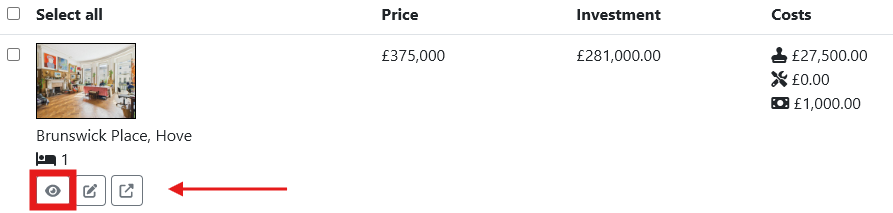
This will open the property's analysis.
Open the Journal
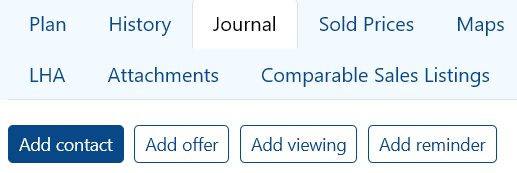
From the heading options, select Journal.
Then select Add Contact to record a new conversation.
Filling In the Form
Enter the details of the conversation using the fields provided.
Date
Enter the date on which the conversation took place.
Use the popup calendar to select the date.
Type
Use the dropdown menu to select the method of communication, such as:
- Call
- Other
Who
Enter who the conversation was with, such as an agent, vendor, contractor or other contact.
Name
Enter the name of the person you had the conversation with.
Enter their email address.
Phone
Enter their mobile number.
Notes
Use the Notes field to record any additional details from the conversation that aren't covered by the other fields.
This is useful for keeping a record of anything you may need to refer back to later.
Once you've entered the details, select Save.