Licensing Data
Overview
When you're considering a property, it's important to understand whether there are any local licensing requirements that could apply to it.
Deal Finder's licensing view provides information about local authority licensing schemes for prospective properties, including requirements that may apply to HMO properties.
Once you add a property as a prospect, PaTMa uses the property's postcode to display relevant licensing information, helping you understand potential requirements and costs before making a purchase.
Important: Always check licensing requirements and fees directly with the relevant local authority before committing to a purchase.
What Can You Find?
Deal Finder can show information about licensing schemes that may apply to a prospective property, including:
- Additional licensing schemes
- Selective licensing schemes
- HMO licensing schemes
- Postcode-based licensing schemes
- Article 4 directions
Where information is available, you can also find:
- Current licence costs
- Details of the relevant licensing scheme
- Links and downloads relating to the scheme
- Contact information for the relevant local authority
How It Works
Once you add a property as a prospect, the Licensing section will automatically show information based on its location.
This can include:
Local Authority Information
See which council covers the property, including the relevant ward.
Licensing Requirements
View information about additional, selective and HMO licensing schemes that apply to the property's postcode.
Where available, PaTMa also provides details about the relevant scheme.
Article 4 Directions
Where applicable, Deal Finder displays information about Article 4 directions relating to the property's location.
Licence Costs
Where available, you can see the current cost of any relevant licences.
Local Authority Contact Details
Deal Finder provides a contact phone number and link for the relevant local authority where available.
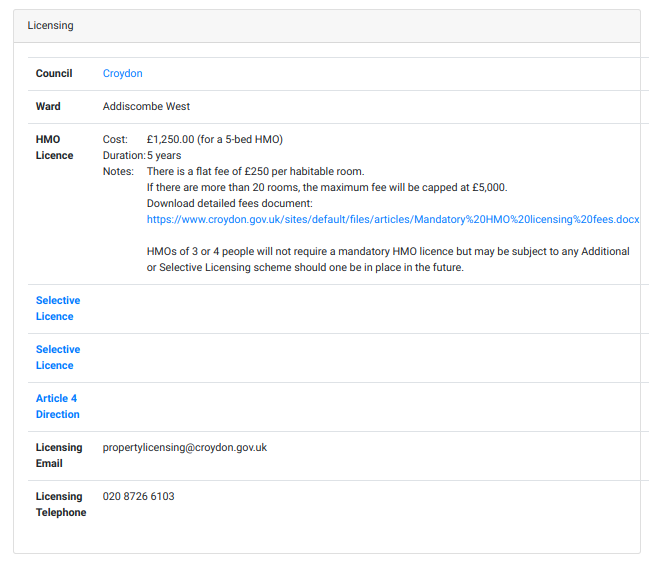
View Licensing Information for a Property
To view licensing information for a property you've shortlisted:
1. Open Prospects
From the Prospects section, select Shortlist.

You'll be taken to a page containing your prospective properties.
2. Open the Property Analysis
In the list, locate the the property you want to analyse and open it using the view icon on the far left.
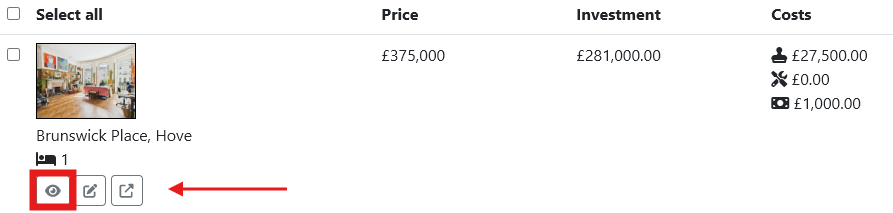
3. View Licensing
In the prospect's report, select the Licensing tab.
Here you can review the available licensing information for the property, including any relevant schemes, costs and local authority details.
Before You Buy
Licensing information can help you identify potential requirements while you're assessing a property, but it should not be treated as confirmation that a particular licence is required.
Licensing schemes, fees and requirements can change, so always confirm the latest information with the relevant local authority before committing to a purchase.