Interactive Planning Application View
Overview
When you're considering a property, it's useful to know what's happening in the surrounding area before making a decision.
Deal Finder includes an interactive planning application view that automatically finds and displays nearby planning applications for properties you own or have shortlisted.
You can also search by postcode to explore planning applications within a wider local area.
This can help you identify planned developments or construction work that could affect a property's surroundings.

What Can You Find?
The planning application view brings together useful information about applications in the surrounding area.
You can:
- Find and display planning applications near each prospect.
- View the status of each application, including the outcome when an application has been decided.
- Read summaries of applications, with links to the relevant local authority for further information.
- Set up planning monitors for ongoing reference.
- Receive email alerts about new planning applications or updates within a chosen region.
- Search by area or postcode before considering properties in a particular region.
- View planning applications on an interactive map to understand what is happening nearby.
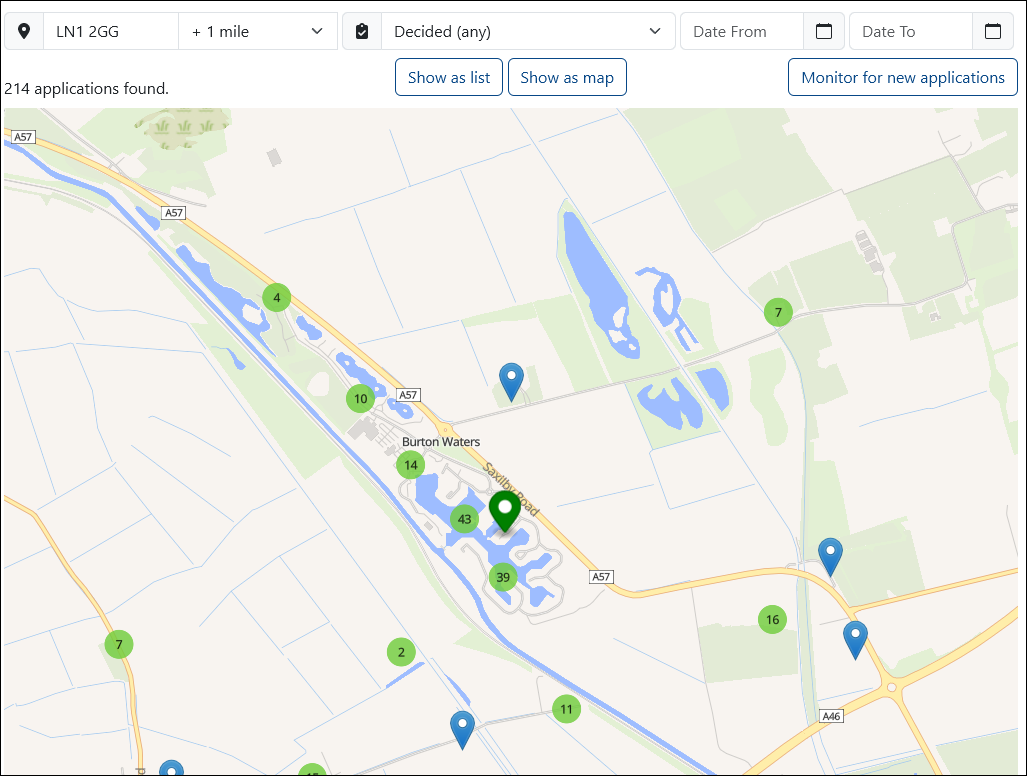
View Planning Applications for a Property
To view planning applications for a property you've shortlisted:
1. Open Prospects
From the header, select Prospects.

You'll be taken to a page containing your prospective properties.
2. Open the Property Analysis
In the list, locate the the property you want to analyse and open it using the view icon on the far left.
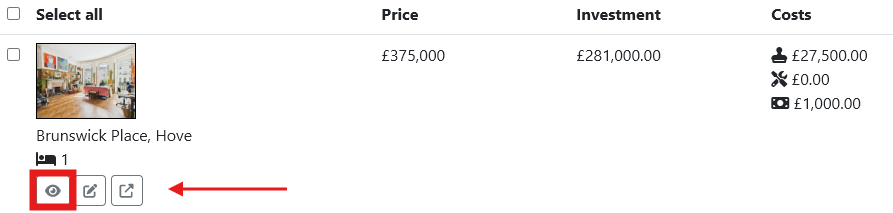
3. View Planning Applications
In the prospect's report, scroll to the Planning Application section.
Here you can review the available planning applications and their relevant information.
Explore More Planning Applications
If you want to look beyond the applications initially shown for the property, select Explore More Planning Applications below the applications list.
This takes you to the wider planning application view, where you can explore applications in the surrounding area.
Monitor Planning Applications
You can also set up a planning monitor to keep track of new applications and updates.
From the planning application list, select Monitor for New Planning Applications in the top-right corner.
Once enabled, you can receive email alerts about new planning applications or updates within your chosen region.
This makes it easier to keep an eye on an area after you've initially researched it, particularly if you're considering a property for investment.